

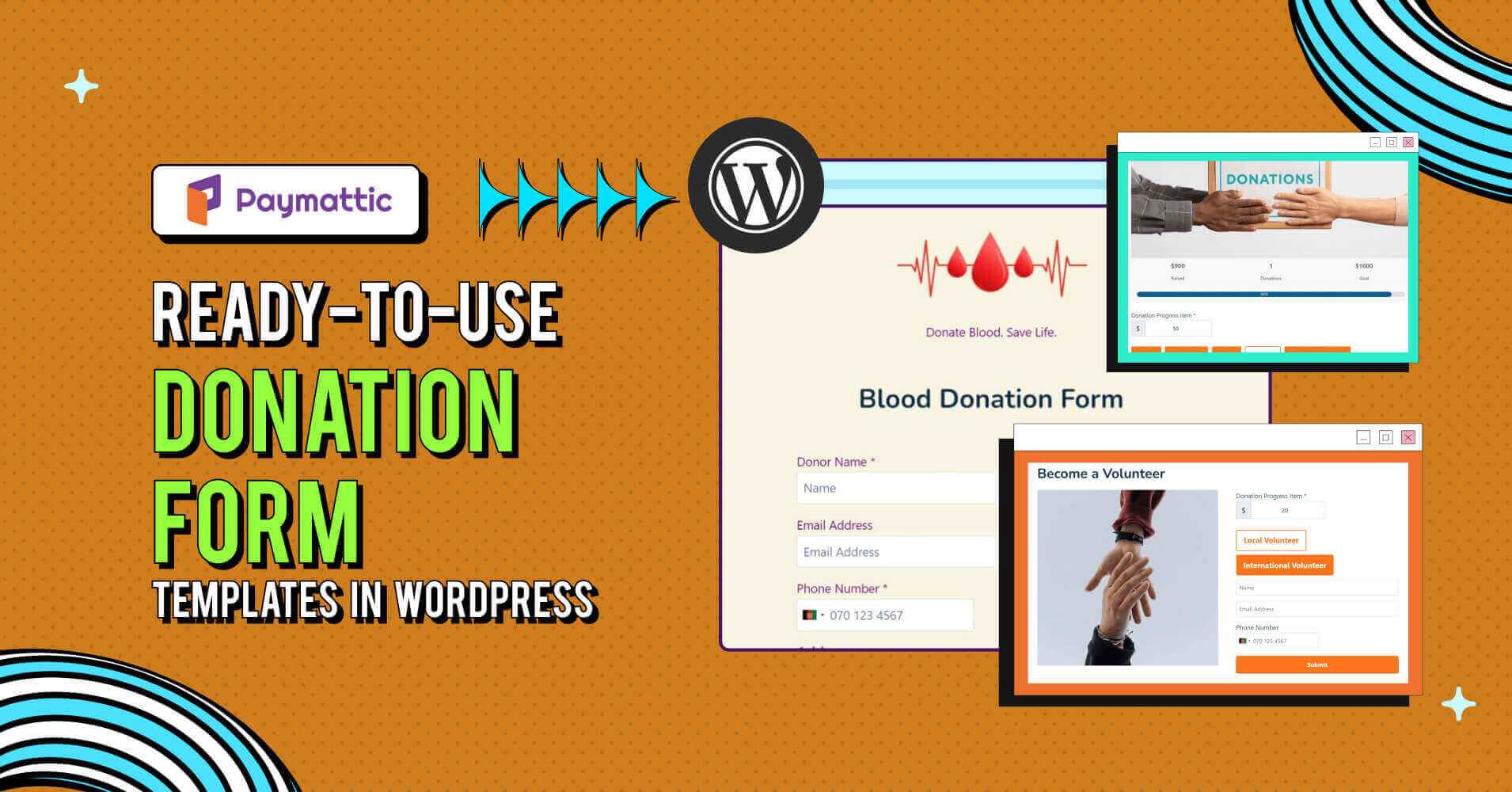
15 Ready-to-Use Donation Form Templates in WordPress 2026


Table of Content
Download Paymattic – it’s Free!

Subscribe To Get
WordPress Guides, Tips, and Tutorials
We will never spam you. We will only send you product updates and tips.
If you’ve ever tried to build a donation form from a blank page, you know the pain. You’re staring at a form builder wondering what fields to add, how much to ask for, and whether donors will even bother filling the whole thing out.
That’s exactly why donation form templates exist. Instead of starting from zero, you grab a template built for your exact use case, whether that’s a church donation form, a blood donation drive, or a school fundraiser, and have it live on your site the same afternoon.
In this guide, we’re walking through 15 free donation form templates you can import straight into WordPress. Every one of them is a real, working demo form built with Paymattic.
If you’re wondering how to create a donation form in WordPress without touching a line of code, this is the fastest way to get there.
Quick picks, if you’re short on time
| Templates | Best for |
|---|---|
| Item donation form | Collecting physical goods, not money |
| Blood donation form | Hospitals, blood banks, health drives |
| Online donation request form | General-purpose, Stripe-powered fundraising |
| Disaster relief fundraising form | Emergency and crisis response campaigns |
| Fundraising form for treatment | Medical and emergency relief campaigns |
| Orphanage donation form | Recurring child welfare support |
| Church donation form | Weekly giving, tithes, building funds |
| Animal shelter donation form | Vet costs, shelter upkeep, pet food drives |
| Charity donation form | General nonprofit campaigns with a goal tracker |
| Auction donation form | Silent auctions and item-based fundraisers |
| Gift Aid claim form | UK charities claiming Gift Aid on donations |
| Old age home donation form | Senior care, meals, and daily living support |
| Sponsor-a-child program | Monthly child sponsorship programs |
| School donation form | School fundraising and supply drives |
| Donate for nature | Environmental and conservation campaigns |
What is a donation form template for nonprofit?
A donation form template is a pre-built form you can import and use right away to collect donations and important donor data, instead of designing one from scratch. It already has the right fields in the right order, tested for exactly the kind of donation it’s built for.
That’s the real value of a good donation demo form template for nonprofit use. You’re not just saving time on layout, you’re borrowing a structure that’s already been thought through: what to ask, what to skip, and how to keep donors from abandoning halfway through.
A donation request form template also gives your donors a consistent, familiar experience. Whether they’re contributing to a school, a church, or a disaster relief fund, the flow feels the same, simple, quick, and trustworthy.
What to include in a donation request form template?
The short version: keep it simple. The more fields you add, the more excuses you give people to close the tab.
A cluttered template for donation form use is one of the fastest ways to lose a donor mid-scroll. Nobody wants to feel like they’re filling out a job application just to give $20.
So stick to what actually matters. You’ll need the donor’s name, but you definitely don’t need their marital status.
Here’s what almost every donation form template should include, regardless of cause:
- Donor name
- Contact info (email, and phone if you need it)
- Donation amount, with suggested tiers plus a custom option
- Payment method (region-focused)
From there, you can layer on cause-specific fields. A blood donation form template needs medical history. An in kind donation form template needs item descriptions. A silent auction donation form template needs bid or item details.
Add fields when your cause genuinely needs them, not because you might use the data someday. Every extra field you’re on the fence about is worth weighing against your donor retention strategy, since a form that’s too demanding on the first visit can cost you the follow-up gift too.
15 Ready-to-use donation form templates for nonprofit
Building a form from scratch used to mean hours in a page builder, testing gateways, and hoping nothing broke on mobile. That’s gone now. Paymattic, a donation plugin for WordPress, ships with these templates built in, along with other impactful donation features most other plugins charge extra for.
Every template below is fully customizable and works with 14+ payment gateways, so you’re not locked into one processor. Import it, tweak the branding, and you’ve got a working WordPress demo donation form.
Item donation form template
This one’s for when the donation isn’t cash, it’s stuff. The donation request form template is designed to make it easy for nonprofits to receive and manage physical goods.
Think school bags, hygiene kits, clothing, furniture, whatever your organization collects and redistributes..
Donors browse a small catalog, pick quantities, and check out in one flow. It’s basically an ecommerce experience, just for giving instead of buying.
That’s a small shift in framing, but it makes a real difference for donors who’d rather send goods than a card number. If your organization runs both cash and item drives, this template pairs well as a companion donation application form template alongside your standard giving form.
Fields used to create this form
- Donor name and email address
- Phone number
- Tabular product item fields (Product catalog with categories, images, and quantity selectors)
- Payment summary
- Payment method (9+ gateways, including offline)
Moreover, it allows your donor to donate multiple items in a single submission.
Blood donation form template
Blood donation requires more detailed information about the donor than other forms of donation. However, you want to avoid overwhelming the donor; instead, keep it simple and straightforward.
This blood donation form template for nonprofit is a perfect balance between thoroughness and simplicity.
It includes all the essential fields you need, such as personal details, medical history, past donation records, and eligibility criteria. With this template, hospitals, blood banks, and healthcare organizations can streamline their operations and improve donor management.
You can also customize this blood donation form if you want any additional fields.
Fields used to create this form
- Donor name, email, and phone number
- Full address (with country selector)
- Date of birth
- Blood group
- Last donation date
- Known allergy check
- Terms and conditions agreement
Ready to get started?
Experience payments and donations for WordPress like never before. Try Paymattic now!
Online donation request form for nonprofits
If you only have time to set up one form, make it this one. It’s the most general-purpose donation form template on this list, and it’s built on Stripe alongside 10 region-based gateways, so donors anywhere in the world can give in a currency and method they’re comfortable with.
This is also the template that works for pretty much any cause label you’d throw at it, church donation form, charity donation form, auction donation form, you name it. It shows a live progress bar too, so donors can see the campaign moving, which tends to nudge more people to actually finish the form instead of abandoning it.
Fields used to create this form
- Custom or preset donation amount
- Real-time progress bar (raised, goal, donor count)
- Stripe and multi-gateway payment selection
Disaster relief donation form
Emergency giving works differently than planned giving. People act fast when they see a crisis unfolding, and this template is built for that moment, a live progress bar up top shows exactly how close the campaign is to its goal, which is often what pushes someone from “I should donate” to actually doing it.
It also keeps the form short on purpose. Just a name, email, amount, and one dropdown asking what the emergency fund is for, food, shelter, or medicine, so donors can move from seeing the campaign to completing the donation in seconds, not minutes.
That speed matters more here than in almost any other donation request form template on this list.
Fields used to create this form
- Multi-gateway payment selection (Stripe, PayPal, Authorize.net)
- Live progress bar (raised, donations count, goal, percentage)
- Preset and custom donation amounts
- Donor name and email address
- Emergency fund category (food, shelter, medicine)
Fundraising form for treatment
When it comes to medical fundraising, trust and transparency are everything. This fundraising form for treatment includes a progress bar that makes donations more transparent.
Donors can clearly see the goal you’ve set for the cause and the progress towards it. This template also displays the number of donors who’ve already contributed, and somewhere, it creates a sense of community for other potential donors to take part in a life-saving situation.
Whether you’re raising money for an individual’s treatment or a broader healthcare initiative, with this template, you can accept donations without being a nonprofit from any corner of the world.
For healthcare-related causes, it is essential to ensure the transparency of funds, especially when covering significant expenses like the cost of EMR systems, which can directly impact patient care.
Fields used to create this form
- Live progress bar (raised, donations count, goal, percentage)
- Preset and custom donation categories (medicine, food, etc.)
- Donor name, email, and phone
- A wishful message box
- Multi-gateway payment selection
Orphanage donation form template
The orphanage donation form template is a valuable part of facilitating and managing contributors toward supporting orphanages and the children in their care.
This user-friendly nonprofit donation template allows donors to enter key information such as donation amount, type of donation (monetary or in-kind), and any special instructions they may have.
It also includes flexible giving options, making it easy for supporters to choose between one-time, weekly, monthly, or yearly donations.
For long-term sustainability, recurring donations are important, and this template makes them simple to set up. It’s kind of a mandatory option to raise money to run an orphanage.
Fields used to create this form
- Donor name, email, phone, and full address
- Donation amount
- Donation type (monetary, sponsorship, in-kind, recurring)
- Payment method selection
Church donation form template
Church giving works best when it doesn’t feel like a transaction. This church donation form template keeps that in mind, donors pick an amount, choose whether it’s one-time or recurring, and can even specify where their gift should go, the general fund, missionary work, or community outreach, before checking out.
That last part matters more than it looks. Letting members direct their giving toward something specific tends to build more trust than a single, unlabeled “donate” button, especially for a church donation form people will come back to week after week.
It’s a solid match if you’re building out weekly giving, tithes, or a building fund campaign, and it works for mosques, temples, and synagogues just as well. Pair it with our guide on church fundraising ideas if you’re planning a specific campaign around it.
Fields used to create this form
- Preset and custom donation amounts
- Recurring donation toggle (weekly, monthly, yearly)
- Fund designation (general fund, missionary work, charity/community support, other)
- First name, last name, email, and phone
- Full address (with country selector)
- Multi-gateway payment selection (Stripe, PayPal, Square, Authorize.net)
Subscribe Newsletter
Subscribe to our newsletter for updates, exclusive offers, and news you won’t miss!

Animal shelter donation form
This one’s built for shelters that want donors to feel the momentum, not just make a payment. A live progress bar sits right at the top, showing how much has been raised against the goal, so a donor can see their $20 actually moving the needle before they even fill out a field.
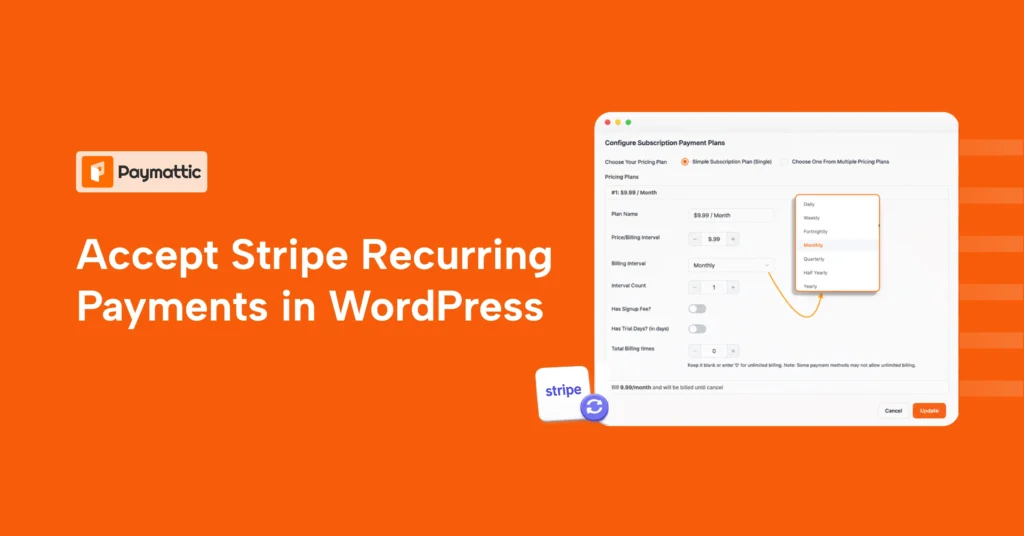
Beyond that, it’s a straightforward donation template form: pick an amount or set your own, choose whether to give once or set up a recurring gift, and check out. The recurring options are unusually flexible too, daily, weekly, fortnightly, monthly, half-yearly, or yearly, which matters for shelters that rely on steady support for ongoing costs like food and vet care rather than one-off gifts.
Fields used to create this form
- Live progress bar (raised, donations count, goal, percentage)
- Preset and custom donation amounts
- Recurring donation toggle (day, week, fortnight, month, half year, year)
- First name, last name, email, and phone
- Optional message field
- Multi-gateway payment selection (Stripe, PayPal, Mollie, Moneris)
Charity donation form
No matter the cause, fundraising is at the heart of every charitable effort. This charity donation form offers an efficient way to collect donations to supportyour mission.
Its user-friendly layout simplifies the donation process and makes it convenient for both donors and organizations.
Personal information, suggested donation amount, and payment details are included in this template to ensure a secure transaction.
You can also customize this charity donation form to highlight specific fundraising goals to provide transparency and improve donor engagement.
Whether it’s disaster relief, education, healthcare, or any other charitable effort, this versatile template aligns to your needs for collecting funds and empowering the organization.
Offering a this type of donation form during a charity day fundraiser is a great way to make giving easy and accessible for your supporters.
Fields used to create this form
- Donor name, email, and phone
- Live progress bar (raised, donations, goal)
- Preset and custom donation amounts
- Multi-gateway payment selection
Auction donation form
Silent auctions run on item submissions, and this silent auction donation form template is built specifically for that. Donors can describe what they’re contributing, upload a photo, and add notes, all in one submission.
It also collects the donor’s contact details alongside the item info, so you’re not chasing people down later to confirm who donated what. If you’re running an item-based fundraiser instead of a straight cash auction donation form template, this is the one to use.
Fields used to create this form
- Payment method selection
- Donor name, email, and phone
- Product description and file upload
- Custom payment amount (for cash-plus-item auctions)
- Additional notes field
Gift Aid claim form
Built specifically for UK charities. This one adds a Gift Aid declaration on top of a standard donation flow, so donors can confirm they’re a UK taxpayer and opt into Gift Aid without you needing a separate paper process.
It includes recurring giving options too, so you can capture Gift Aid-eligible donations whether they’re one-off or monthly.
If your charity claims Gift Aid, this template alone can save your finance team a lot of manual reconciliation. We’ve also covered the full setup in our guide on how to add Gift Aid to your WordPress donation form.
Fields used to create this form
- Donation amount (preset or custom, with recurring option)
- Donor name, organization name, email, and phone
- UK taxpayer confirmation
- Type of tax paid (income or capital gains)
- Gift Aid declaration statement
- Donor address
- Payment method selection
Old age home donation form
Designed for senior care organizations covering meals, healthcare, and daily living costs. Instead of one generic amount field, donors pick what they’re funding, meals, healthcare, living essentials, or sponsoring a specific senior, which tends to make the ask feel more concrete.
It also supports recurring billing on a weekly, monthly, or yearly basis, useful for organizations that rely on steady, ongoing support rather than one-time gifts.
Fields used to create this form
- Donation category (meals, healthcare, essentials, sponsor a senior)
- Custom amount option
- Recurring donation toggle (weekly, monthly, yearly)
- Donor identity and email
- Optional short message field
- Payment method selection
Sponsor-a-child program
Built for organizations running ongoing child sponsorship programs. Instead of a single donation amount, sponsors pick a tier, school supplies, education support, education and healthcare, or full sponsorship, each tied to a monthly amount.
That tiered structure does a lot of the persuasion work for you, sponsors can see exactly what their monthly gift covers before they commit, which tends to improve follow-through on recurring pledges.
Fields used to create this form
- Sponsor full name, email, and phone
- Sponsorship tier selection (with monthly pricing)
- Optional message to the organization
- Payment method selection
School donation form
Set up for schools running fundraising campaigns, whether that’s for a specific need, a sponsorship program, or emergency relief support. Donors choose a cause category before entering their amount, which helps schools track where support is actually going.
It’s a good match if you’re building out a broader fundraising page, since it can sit alongside a donation progress bar to show real-time campaign momentum.
Fields used to create this form
- Donor name, email, phone, and address
- Contribution category (school famine, child sponsorship, emergency relief, other)
- Custom donation amount
- Optional message field
- Payment method selection
Donate for nature
Built for environmental and conservation campaigns. It leads with a progress bar and supports flexible recurring billing, including daily, weekly, fortnightly, monthly, quarterly, half-yearly, and yearly options, more frequency choices than most donation templates offer.
That flexibility matters for conservation groups specifically, since a lot of recurring environmental giving happens in smaller, more frequent increments tied to ongoing programs like tree planting.
Fields used to create this form
- Live progress bar (raised, goal, percentage)
- Preset and custom donation amounts
- Recurring donation toggle (7 frequency options)
- Donor name, phone, and email
- Multi-gateway payment selection
How to Use These Templates?
Using these aforementioned online donation form templates are very easy. No hassle, no coding, just follow a few steps, and you’re ready to go.
- Login to your WordPress dashboard.
- Install & Activate Paymattic.
- Go to Paymattic → Settings → Tools
- Click the Choose File button.
- Press the Import Form button.
- Match the CSS ID from – Paymattic → All Forms → Settings → Custom CSS/JS.
Now you can customize it if you want or can go straight with the template.
Wrapping Up
Whether you’re running a church, a school, a shelter, or a full nonprofit, there’s a donation form template on this list built for exactly that. No blank-page problem, no guessing which fields to include, just import, brand it, and publish.
Paymattic gives you these templates plus a full donation toolkit, recurring billing, progress bars, Gift Aid, 14+ payment gateways, all in one WordPress plugin. Grab whichever template fits your cause and get your fundraising page live today..
Join the thousands already enjoying Paymattic Pro!

Tipu Deb
Hey! Tipu here, working as a Marketing Strategist at WPManageNinja & Paymattic. A nature lover and a person who is addicted to exploring historical events. In my leisure, you’ll find me playing with different musical instruments.



Leave a Reply